COURSE
Unity game development with Virtual Reality

Official sponsors
of ZETA Gaming
Presentation
Thanks to this master’s degree in video game programming with Unity 3D you will be able to create complete video games (from the initial design to their export to real devices for testing or distribution). You will immerse yourself in virtual reality or augmented reality and you will become an ace of movement through scripts. It’s time to go to the next level!
Objectives
Career opportunities


Our courses do not have a start and end date. With Tokio’s 100% online training programme, you decide your pace, circumstances and capabilities and we follow you. Ours is «tailor-made» learning.
They are your teachers, experts with real knowledge that will help you to improve your knowledge of this profession.
Our educational advisors will accompany you throughout your training. They will help you achieve your goals through realistic objectives, organisation and motivation for tokiers!
Self-assessment questionnaires, final exams, exercises, case studies… Learning by doing! You will learn by doing. In addition, you will have up to 300 hours of quality professional internships in companies in the sector.
You will have live classes. And if you have not been able to attend, no problem! We’ll upload them to the virtual platform so you can watch them as many times as you want.
You’re almost there! To conclude your training, you’ll have to demonstrate everything you’ve learned through a project.
You will receive extra training to improve your skills (communication, leadership, teamwork…) thanks to our short courses.
We will give you all the keys to succeed in any selection process.
We put at your disposal, on the student platform, an Employment Observatory where you will find the best job opportunities according to your preferences and your sector.
Your classes
You will be able to attend online masterclasses given by renowned professionals in the sector who collaborate with Tokio School by sharing their experiences. These sessions will also be participative and you will be able to ask them your questions.
Online platform
the protagonist of the learning process.
Content overview
Unit 1: What is and what surrounds Unity 3D?
- History of Unity
- Main engines
- Unity versions
- Main competitors
- Main advantages
Unit 2: The Assets Market
- What are the assets?
- Available categories in the asset store
Unit 3: Unity 3D Editor
- Main panels in Unity 3D
Unit 4: Scenes
- Scene creation: important elements
Unit 5: GameObjects and components
- What are GameObjects?
- What are Components?
- Types of Components
Unit 6: Prefabs
- Modifying a prefab
- Nested prefabs
- Prefabs variants
- Multi-level override
- Unpack a prefab
- Destroy a prefab
Unit 7: Spaces and cameras in Unity 3D
- Space in Unity 3D
- Properties of the elements
- Cameras in Unity 3D
- Cameras with perspective
- Orthographic cameras
Unit 8: Basics of lighting
- Lighting techniques
Unit 9: The lighting panel
- Light configuration
- Properties
Unit 10: Types of lights and shadows
- Type of lights
- Type of shadows
- Settings
Unit 1: C# and other languages available in Unity 3D
- Programming languages in Unity
- What is C#?
Unit 2: The Script component
- How to create Script in Unity?
- Functions
Unit 3: Variables, types and display in the editor
- Variable properties
- Declaration of a variable
- Checking variables
Unit 4: Arrays
- Declaration of an Array
- Structure of an Array
Unit 5: Functions
- Characteristics
- Parts of a function
- Functions with or without return
- Checking a function
Unit 6: Control structures
- if/else structure
- While structure
- Switch structure
- For structure
- Foreach structure
Unit 7: Components and scripting control
- How to make changes to component properties
Unit 8: Monobehaviour parent class
- Stages of the cycle
Unit 9: GameObject management in the scene through scripting
- Instantiate method
- Destroy Method
Unit 10: Other interesting aspects of C# programming
- SetActive method
- Corrutines
Unit 1: Physics in Unity 3D
- Rigidbody Component – Properties
- Component Collider – Types
- Character Controller – Properties
- Joints – Types
Unit 2: Materials, textures and shaders
- What are materials?
- How to create a material?
- What are textures?
- What is a shader?
- Energy conservation
- High Dynamic Range (HDR)
Unit 3: Animation and animator
- Mecanim
- Keyframe
- Animation
- Animator Controller
Unit 4: Particle System
Unit 5: Inputs
- Configuration of Inputs
- Use of Imputs in scripts
- Imputs on mobile devices
Unit 6: Navigation system
- Usefulness of the navigation system
- Elements of the navigation system
- Creation of the navigation area
Unit 7: Audio
- Elements of sound systems in Unity
- Audio Mixer What are they, their uses and properties?
Unit 8: UI and canvas
- Rect Tool
- Rect Transform
- Pivot
- Anchors
- Canvas – Modalities
- Elements of an interface
Unit 9: PlayerPrefs
- What is serialisation?
- PlayerPrefs methods or functions
Unit 10: Inputs’ new system
- Settings
- Summary of all other buttons
Unit 1: Introduction to Virtual Reality
Unit 2: Preparing our VR project
- Main Virtual Reality devices
- Steps to prepare the Virtual Reality project
- Tools
Unit 3: Camera, movement and interactions in VR
Unit 4: Optimisation and creation of our first project
- Tools – Profiler panel
- Geometry of 3D models
- Use of Ligthmapping
- Occlusion Culling
- Textures
- Shaders
- Quality Settings
Unit 5: Introduction to Augmented Reality
- What is Augmented Reality?
- Systems for visualising Augmented Reality
- Areas of application of Augmented Reality
Unit 6: Main alternatives for AR use in Unity
Unit 7: Preparing our AR project with Vuforia
Unit 8: Implementing our first application with AR
Unit 9: Introduction and implementation of Mixed Reality
Unit 10: Raycasting
- Properties and implementation
- Usage and functionality
Unit 1: Introduction
- Preliminary considerations
- Naming conventions in programming
- Programming language
- Types of Errors and Alerts
Unit 2: Introduction to object-oriented programming (OOP)
- Structured Programming vs. Object Oriented Programming
- What is an Object in OOP
- Constructor methods
- What is Inheritance?
Unit 3: Static classes
Unit 4: Constants and enumerations
Unit 5: State machines
- Math class
- Static variables
Unit 6: Relevant mathematical functions
Unit 7: Delegates
- Definition and characteristics
- Creation and structure of a Scriptable Objects
Unit 8: Scriptable Objects
Unit 9: Design patterns I
- Definition and advantages of use
- Characteristics
- Types of patterns
- Singleton pattern
Unit 10: Design patterns II
Unit 11: SOLID Principles
- Solid S (Single Responsibility)
- Solid O (Open – Closed Principle)
- Solid L (Liskov Substitution)
- Solid I (Segregation of Interfaces Principle)
Unit 1: Audio Mixer
Unit 2: Cinemachine
- Basic virtual camera
- Cinemachine virtual camera
- Cinemachine composer and transposer
- Camera tracking and player input
- Axis state
- State driven camera
- Cinemachine scripting
Unit 3: Advanced inputs (smartphones)
- Unity Remote
- Mobile: Touch
- Gyroscope and accelerometer
- GPS positioning
Unit 4: Unity Services: Ads y Collaborate
Unit 5: Unity Analytics
- Data analysis in video games
- Unity Analitics – Introduction and configuration
- Creating an event from the Unity Inspector
- Creating an event from scripting
Unit 6: Architecture in games made with Unity
Unit 7: Advanced optimization
- Graphics – Level of detail (LOD) – Configuration
- Physics – Rigidbody
- Physics – Collision Layers
- Code – Content of Loops
- Code – Use of cyclic functions
Unit 8: Project assembly
Unit 9: Render
- Línea de renderizado de alta definición (HDRP)
- Canalización de renderización universal (URP)
- Compatibilidad de la tubería de renderizado
Unit 10: Commercialisation
- Portfolio
- Digital markets
- Upload to the Store
Unit 11: Multiplayer with Photon Engine
Sukiru: soft skills for digital samurai
You will receive extra training to improve your skills (communication, leadership, teamwork…) thanks to our short courses.
#alwaysforward
Students' work
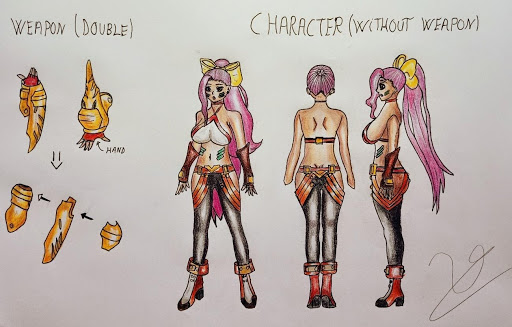
Final project Unai Zabala Professional career in Video Game Design
Although it is still in progress, the student’s project aims to be a video game. More specifically a ‘3D fighter’ where there will be unique and eye-catching characters with devastating final attacks. The combat will be very animated, resembling the combat system of the «hack and slash» genre, and with a hand-drawn character design!
Digital Masters
Time to get on the tatami
Do you want to show what you’re worth? At Tokio School we have agreements with more than 3,000 companies in the technology and digital sector. You can do up to 300 hours of optional internships while expanding your network and your CV. Where would you like to do an internship? Suggest companies! You will be part of Tokio Net, our network of students and alumni.
Certifications
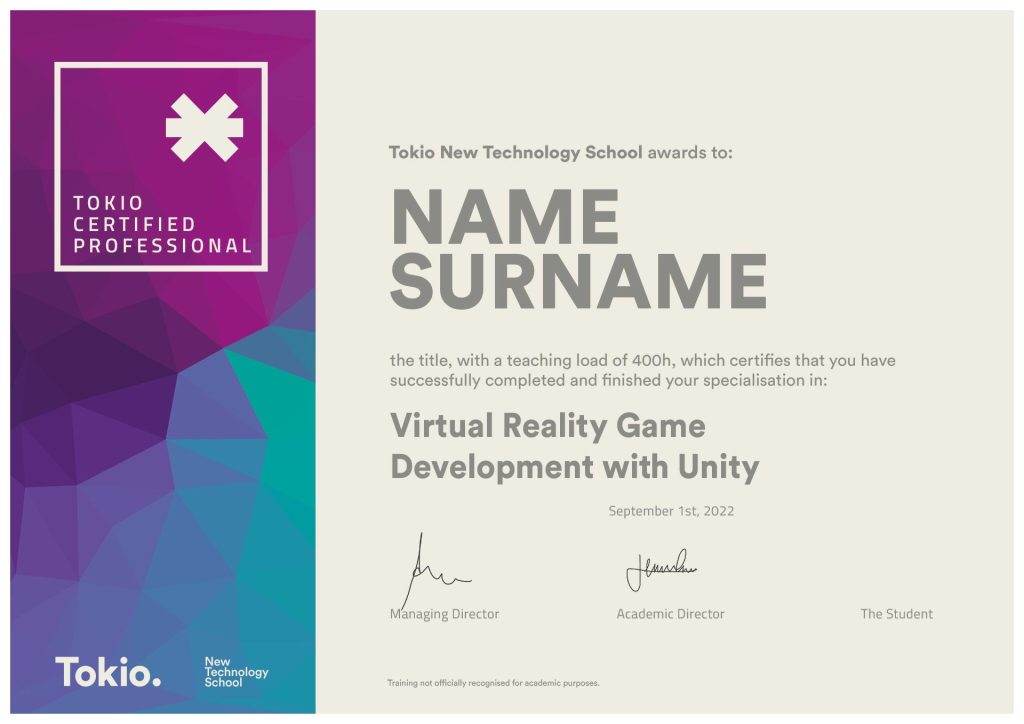
Once you have finished your training you will receive the following qualifications:
We are Tokio
We’re not the kind of people who like to pin medals on themselves, but if others do…
TOP Educational Agreements
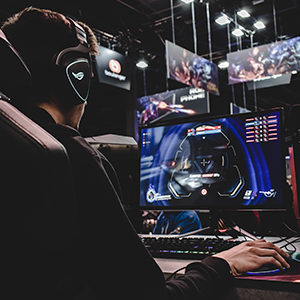
Tokio School & ZETA: from gamers to gamers
#TokioSchoolxZETA #MakeThePlay
Contact
Training is not approved for official academic purposes.